 ChanTan Studio Docs
How to Log In to ChanTan Studio
Sign in to ChanTan Studio in under a minute — plus what to do if your password fails, the security check won't load, or you're still waiting for approval.
Logging in takes three small steps. Don't have an account yet? Press "Create your account" on the sign-in page to create one first — ChanTan Studio is in closed beta, so a new account waits for approval before it can build.
ℹ️ Email and password is the only way in. There is no "Sign in with Google" and no "Sign in with GitHub" button on this page.
1. Open the sign-in page
Go to chantanstudio.pages.dev/login in your browser.
Not in your language? A language switcher sits in the top-right corner of the sign-in page — you can change it before you even sign in.
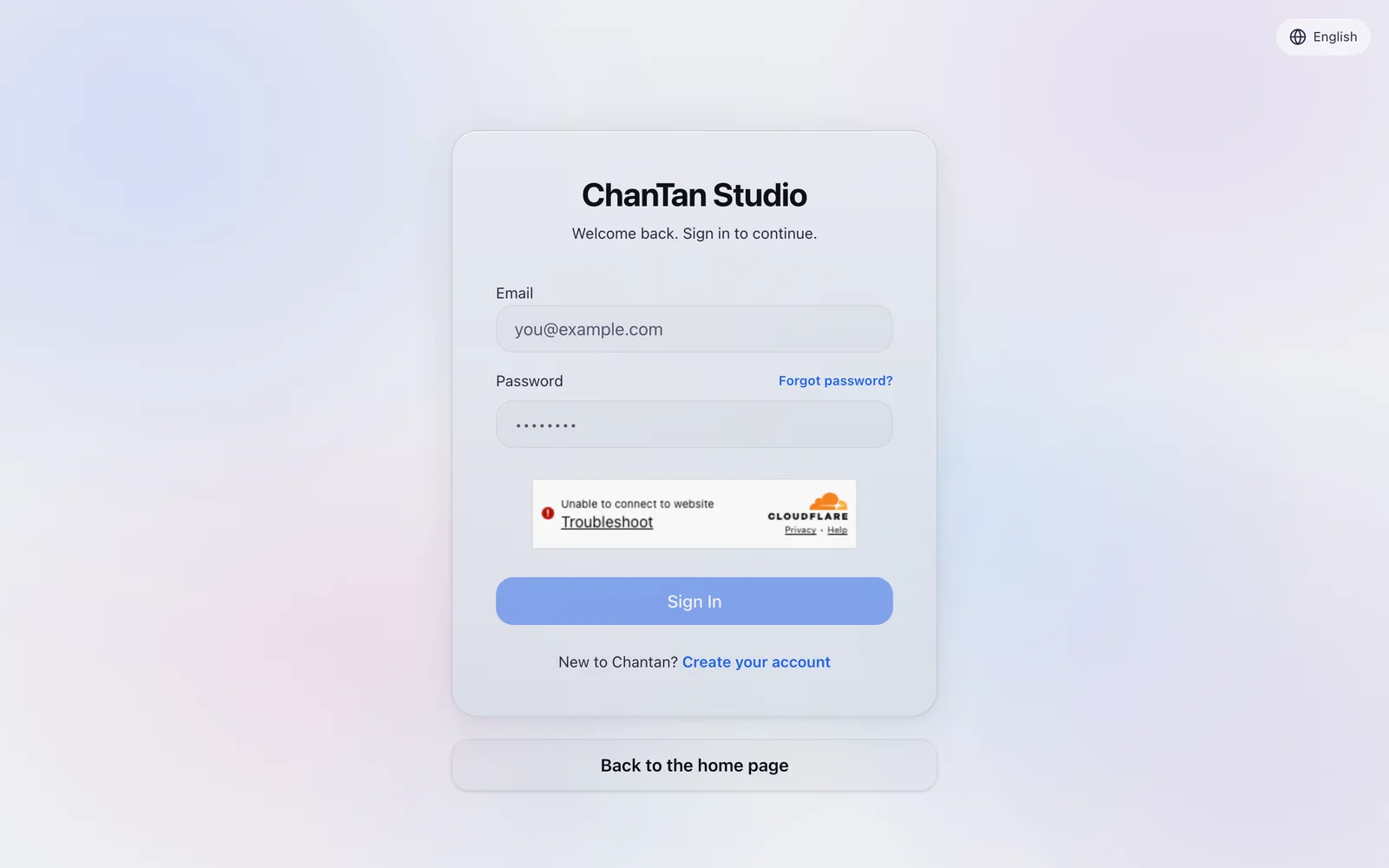
2. Enter your email and password
Type the email address and password you signed up with.
3. Pass the security check and press "Sign In"
Tick the security check box above the button — the "Sign In" button stays greyed out until the check passes. Then press "Sign In".
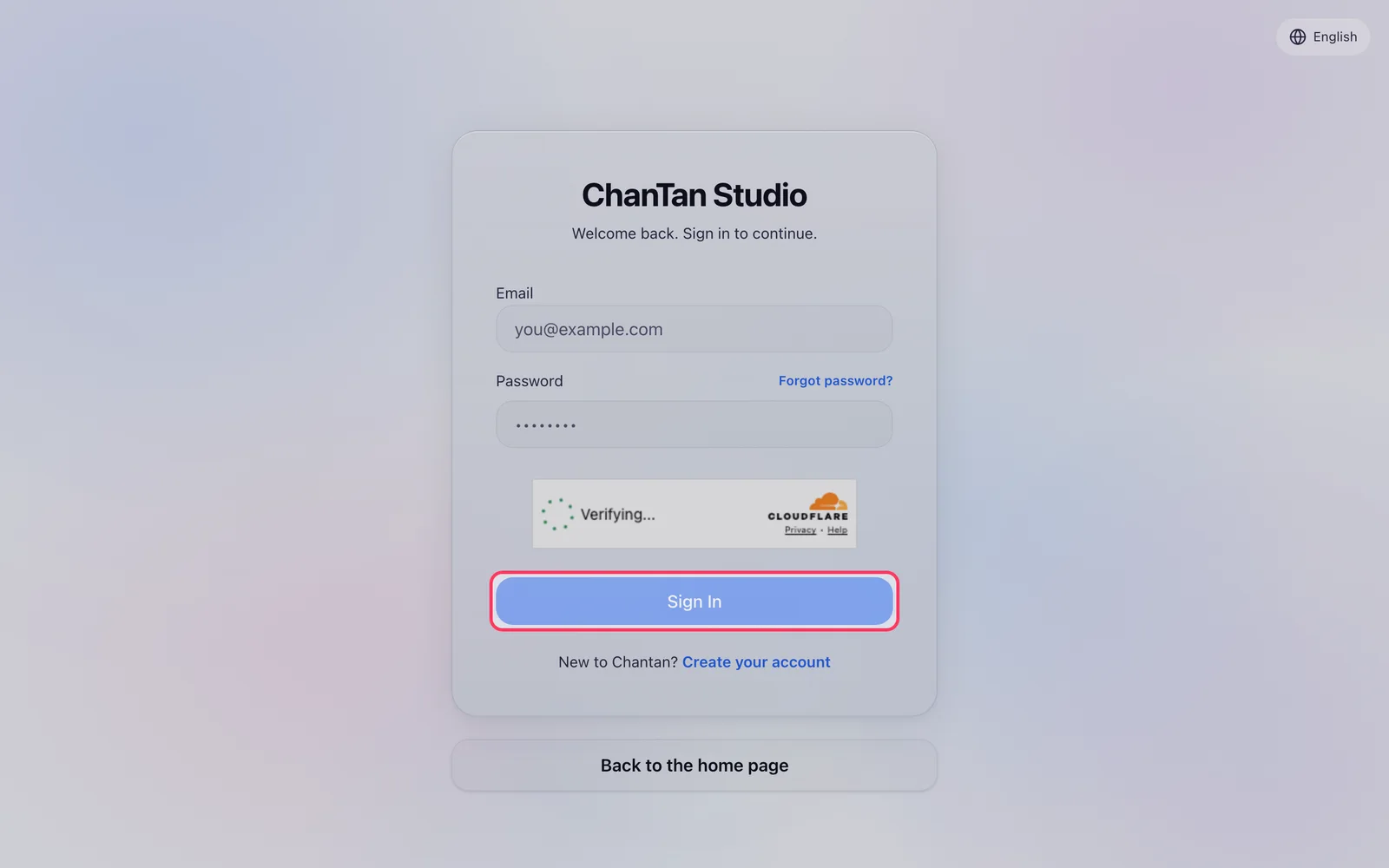
✅ You're in. You land on your dashboard with your projects. If a link sent you to a specific project before you signed in, ChanTan takes you back to that project automatically.
Forgot your password?
- On the sign-in page, press "Forgot password?".
- Type your account email and complete the security check.
- Press "Send reset link". You'll always see the same message — "If an account exists, we sent a reset link. Check your inbox and spam folder." — that's deliberate, for your security.
- Open the email titled "Reset your Chantan password", press "Reset password", then "Continue".
- Choose a new password of at least 8 characters, confirm it, and press "Update password".
After a reset, every device is signed out — including your phone. That's on purpose. Limits: 3 reset emails per address every 15 minutes, and each link works once.
⚠️ Eight characters is the rule everywhere. The sign-up box shows an out-of-date "6+ characters" hint, but both sign-up and password reset refuse anything under 8. Pick a new password of 8 or more. If it still refuses, contact support@chantan.studio.
If something goes wrong
| What you see | What to do |
|---|---|
| "Wrong email or password. Please try again." | Retype carefully, or use "Forgot password?" |
| "Too many attempts — please wait a minute and try again." | Wait one minute. Shared office or school Wi-Fi hits this more often. |
| "The verification check expired or did not pass." | Tick the box again — it resets after every failed attempt. |
| "The verification check couldn't load (an ad-blocker may be blocking it)." | Pause your ad-blocker for this site, then press "Try again". |
| "Verification is unavailable. Please try again later." | The check itself is down for everyone — try again later. |
| "Your session expired — please sign in again." | Just sign in again. |
Still waiting for approval?
If you see the waiting screen — "You're on the list" — your account exists but hasn't been approved yet. There's nothing to fill in: the screen checks itself every 45 seconds and unlocks on its own the moment you're approved. You'll also get an email titled "You're in — your Chantan Studio access is approved 🎉".
Worried someone else got in?
Go to Settings → Security, press "Log out everywhere else", then change your password on the same page.